

Introduction
If you’re still delivering photos through Drive links or ZIP files, you’re making client delivery harder than it needs to be.
Today’s best online gallery platforms help photographers share images instantly, look professional, and even generate extra revenue through print sales and automation. From simple portrait sessions to weddings with 1,000+ guests, there’s now a smarter way to deliver photos.
Modern tools range from classic proofing galleries to AI-powered solutions like TurtlePic, which automatically sorts and shares event photos using face recognition — eliminating manual delivery completely.
In this guide, we’ve compared the best online galleries for photographers so you can choose the right platform based on your workflow, client type, and business goals.
What Is an Online Gallery for Photographers?
An online gallery is a cloud-based platform where you:
- Upload photos
- Organize albums
- Share private links
- Let clients favorite or download
- Sell prints and albums
- Add branding and security
Instead of messy file transfers, clients get a clean, professional viewing experience that reflects your brand.
Think of it as your digital delivery studio.
Why Photographers Need a Professional Gallery Platform
Using a dedicated gallery improves both efficiency and income.
Faster delivery
Photos are accessible instantly without huge downloads.
Premium presentation
Clean layouts elevate perceived value of your work.
Built-in sales
Prints and albums become passive revenue.
Less admin work
Proofing and approvals happen automatically.
Better privacy
Passwords, watermarks, and permissions protect images.
The result? Happier clients and more time shooting.
Best Online Gallery Platforms for Photographers (Compared)
Here are the top platforms photographers rely on today — each suited to different workflows.
1. TurtlePic

A next-generation, AI-powered gallery designed specifically for weddings, events, and large guest lists.
Unlike traditional galleries that simply host photos, TurtlePic uses face recognition so guests can find their own photos instantly by taking a selfie. It also includes smart privacy controls so people only see images they appear in.
Best for
Event, wedding, and corporate photographers managing hundreds or thousands of attendees.
Key features
- AI face search for instant photo discovery
- Automatic guest-based delivery
- Privacy-first sharing
- Branded & white-label galleries
- Bulk uploads
- Engagement analytics
- No manual sorting required
Pros
- Saves hours of post-event work
- Unique, wow-factor client experience
- Scales easily for large events
- Excellent for corporate and wedding workflows
Cons
- Not necessary for small portrait shoots
Verdict
If you shoot events regularly, this can replace manual delivery entirely and drastically reduce workload.
2. Pixieset
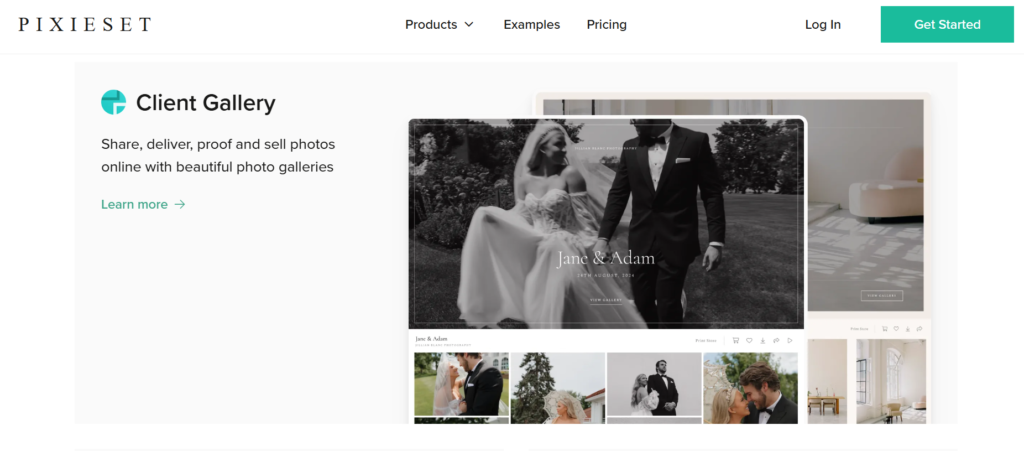
A favorite among wedding and portrait photographers for its simplicity.
Best for
Beginners and small studios.
Key features
- Modern gallery design
- Client proofing
- Print store
- Mobile delivery
- Free plan
Pros
- Very easy setup
- Clean interface
- Affordable
Cons
- Limited customization
Verdict
Great all-around choice for straightforward delivery.
3. ShootProof
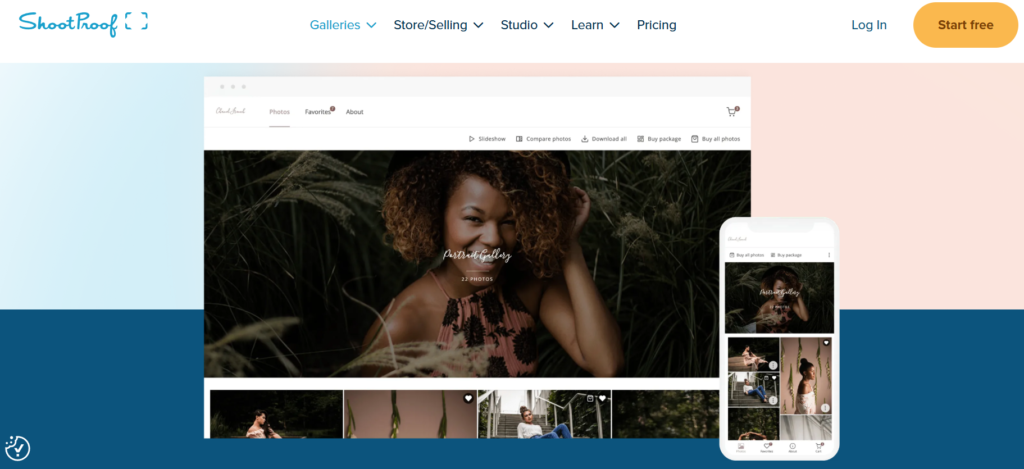
Known for combining galleries with business tools.
Best for
Photographers who want contracts, invoices, and proofing together.
Key features
- Advanced proofing
- Invoicing & contracts
- Automated emails
- Print fulfillment
Pros
- Strong workflow management
- Reliable system
Cons
- Slightly dated interface
Verdict
Ideal for organized, process-driven studios.
4. Pic-Time

Designed to maximize print and album sales.
Best for
Photographers focused on increasing revenue per client.
Key features
- Smart upsells
- Automated promotions
- Beautiful gallery layouts
- Slideshows
- AI marketing tools
Pros
- Excellent revenue potential
- Premium client experience
Cons
- Pricing scales with usage
Verdict
If you want your gallery to actively sell for you, this is powerful.
5. SmugMug

A long-standing platform offering customization and storage.
Best for
High-volume photographers with huge archives.
Key features
- Unlimited storage
- Custom themes
- eCommerce
- Secure hosting
Pros
- Massive storage
- Flexible design
Cons
- Learning curve
Verdict
Great for advanced users needing control.
6. Google Drive (Basic Option)
Often used but not designed for client delivery.
Limitations
- No branding
- No proofing
- No sales tools
- Looks unprofessional
Verdict
Fine for backups, not professional galleries.
Comparison Table (Quick View)
| Platform | Ease of Use | Proofing | Sales | Branding | Unique Strength | Best For |
|---|---|---|---|---|---|---|
| TurtlePic | Easy | Smart AI | No | Excellent | Face recognition delivery | All Events |
| Pixieset | Medium | Yes | Yes | Good | Simplicity | Beginners |
| ShootProof | Medium | Excellent | Yes | Good | Workflow tools | Studios |
| Pic-Time | Medium | Yes | Excellent | Good | Sales automation | Revenue growth |
| SmugMug | Medium/Hard | Yes | Yes | Excellent | Storage | Large archives |
| Google Drive | Easy | No | No | None | Free | Temporary use |
How to Choose the Best Online Gallery (Step-by-Step)
Step 1 — Identify your shoot type
Portraits → simple gallery
Weddings → proofing + store
Large events → automated or AI delivery
Step 2 — Check client experience
Open demos on mobile and desktop.
Step 3 — Calculate ROI
Print sales often cover subscription costs.
Step 4 — Test trials
Upload a real session before committing.
Practical Tips / Checklist
Before sharing any gallery:
- Curate images tightly
- Organize folders clearly
- Add cover image
- Enable favorites
- Set download rules
- Watermark previews
- Add branding
- Test on mobile
Professional presentation increases satisfaction instantly.
Common Mistakes
- Using generic cloud storage
- Sending too many photos
- Ignoring mobile optimization
- Skipping print sales tools
- Manually sorting thousands of event images
Automation saves hours — use it.
FAQs
What is the best online gallery for photographers overall?
It depends on your workflow. Pixieset is great for simplicity, Pic-Time for sales, and TurtlePic for large events with automated delivery. Each serves a different need rather than one universal solution.
Which gallery is best for weddings or events?
TurtlePic works exceptionally well because guests can find their own photos using face recognition. This removes manual sorting and drastically speeds up delivery for big guest lists.
Which platform helps increase print sales?
Pic-Time offers automated promotions and upsells that encourage purchases. Its smart store can significantly raise average order value without extra effort from photographers.
Can I use Google Drive instead?
You can, but it looks unprofessional and lacks proofing or sales tools. Dedicated gallery platforms provide a better client experience and reduce support requests.
Are online galleries secure?
Yes. Most platforms include password protection, watermarking, limited downloads, and private links to protect your images while keeping sharing simple.
How much do gallery tools cost?
Most start around $10–$20 per month and scale with storage and features. Many photographers cover costs quickly through time saved or print sales.
Do galleries work well on mobile?
Yes. Modern galleries are fully responsive, allowing clients to view, download, and purchase photos directly from their phones.
Conclusion
The best online gallery isn’t just about storing photos.
It’s about:
- Faster delivery
- Professional presentation
- Less admin work
- More revenue
Choose based on your workflow:
- Events → TurtlePic
- Simple delivery → Pixieset
- Business workflows → ShootProof
- Sales focus → Pic-Time
- Large archives → SmugMug
Pick the one that makes your life easier and your clients happier.
Stop sending messy download links.
Switch to a professional gallery platform and transform how clients experience your work — starting with your very next shoot.